Image Endpoint
imagor endpoint is a series of URL parts which defines the image operations, followed by the image URI:
For production-safe URLs, see Security. For the full filter pipeline, see Filters. For metadata output related to an endpoint, see Metadata and Exif.
/HASH|unsafe/trim/AxB:CxD/(adaptive-)(full-)fit-in/stretch/-Ex-F/GxH:IxJ/HALIGN/VALIGN/smart/filters:NAME(ARGS):NAME(ARGS):.../IMAGE
HASHis the URL signature hash, orunsafeif unsafe mode is usedtrimremoves surrounding space in images using top-left pixel colorAxB:CxDmeans manually crop the image at left-top pointAxBand right-bottom pointCxD. Coordinates can also be provided as float values between 0 and 1 (percentage of image dimensions)fit-inmeans that the generated image should not be auto-cropped and otherwise just fit in an imaginary box specified byWxH. Iffull-fit-inis specified, then the largest size is used for cropping. Ifadaptive-fit-inis specified, it inverts requested width and height if it would get a better image definitionstretchmeans resize the image toWxHwithout keeping its aspect ratio-Ex-Fmeans resize the image to beExFof width per height size. The minus signs mean flip horizontally and verticallyGxH:IxJadd left-top paddingGxHand right-bottom paddingIxJ, placed after the resize dimensions in the URLHALIGNis horizontal alignment of crop. Acceptsleft,rightorcenter, defaults tocenterVALIGNis vertical alignment of crop. Acceptstop,bottomormiddle, defaults tomiddlesmartmeans using smart detection of focal pointsfiltersa pipeline of image filter operations to be applied, see Filters sectionIMAGEis the image path or URI- For image URI that contains
?character, this will interfere the URL query and should be encoded withencodeURIComponentor equivalent - Base64 URLs: Use
b64:prefix to encode image URLs with special characters as base64url - Color image: Use
color:<color>to generate a solid color or transparent image without loading from a source. See Color Image section.
- For image URI that contains
Resize & Crop
/unsafe/WxH/IMAGE
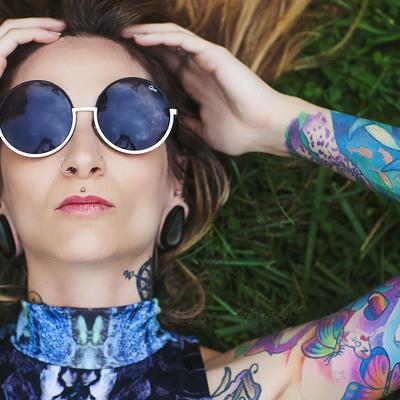
Resizes the image to the given width W and height H, auto-cropping the excess to fill the box. The crop is centered by default.
- Set
WorHto0to auto-scale that dimension while preserving aspect ratio.
/unsafe/400x400/IMAGE    → resize to 400×400, center-crop to fill
/unsafe/400x0/IMAGE      → resize to width 400, height proportional
/unsafe/0x400/IMAGE      → resize to height 400, width proportional
400x400/IMAGE |
|---|
 |
Alignment
Control where the auto-crop is anchored using HALIGN and VALIGN:
HALIGN—left,center(default), orrightVALIGN—top,middle(default), orbottom
left/top | center/middle | right/bottom |
|---|---|---|
 | 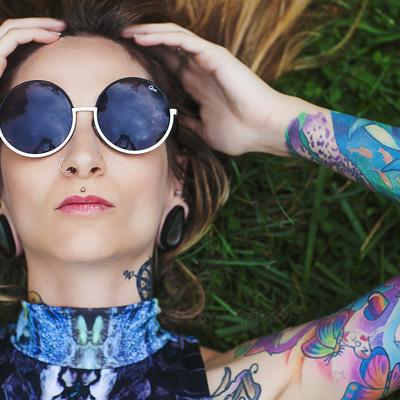 |  |
/unsafe/400x400/left/top/IMAGE
/unsafe/400x400/center/middle/IMAGE
/unsafe/400x400/right/bottom/IMAGE
Smart Crop
smart uses focal point detection to find the most visually important part of the image for cropping:
/unsafe/400x400/smart/IMAGE
400x400/smart/IMAGE |
|---|
 |
Fit-in
/unsafe/fit-in/WxH/IMAGE
Resizes the image to fit within the given dimensions without cropping. The result may be letterboxed; use the fill() filter to add a background.
fit-in/400x400/IMAGE |
|---|
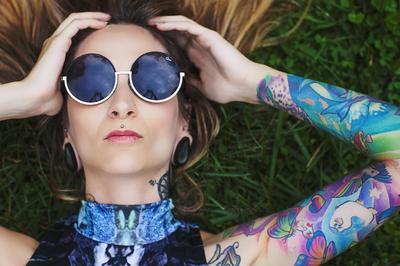 |
/unsafe/fit-in/400x400/filters:fill(red)/IMAGE
/unsafe/fit-in/400x400/filters:fill(blur)/IMAGE
/unsafe/fit-in/400x400/filters:fill(white)/IMAGE
Full Fit-in
/unsafe/full-fit-in/WxH/IMAGE
Like fit-in but uses the larger dimension for fitting — the image always fills at least one edge of the box.
Adaptive Fit-in
/unsafe/adaptive-fit-in/WxH/IMAGE
Like fit-in but automatically swaps width and height if it produces better image coverage.
Flip
Prefix width or height with - to flip the image:
-400x400/IMAGE | 400x-400/IMAGE |
|---|---|
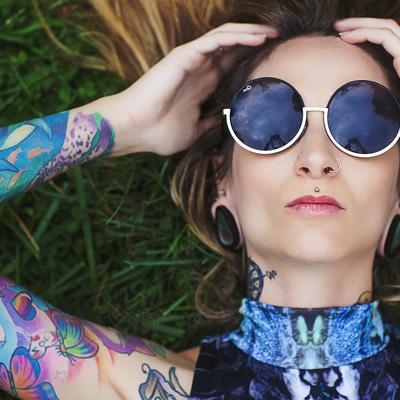 | 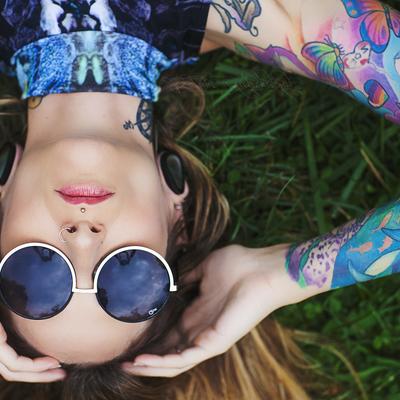 |
/unsafe/-400x400/IMAGE    → flip horizontally
/unsafe/400x-400/IMAGE    → flip vertically
/unsafe/-400x-400/IMAGE   → flip both
Manual Crop
/unsafe/AxB:CxD/IMAGE
Manually crops the image at left-top point AxB to right-bottom point CxD before resizing.
- Coordinates can be integer pixels or float values between
0.0–1.0(percentage of image dimensions).
100x50:1800x1200/400x400/IMAGE |
|---|
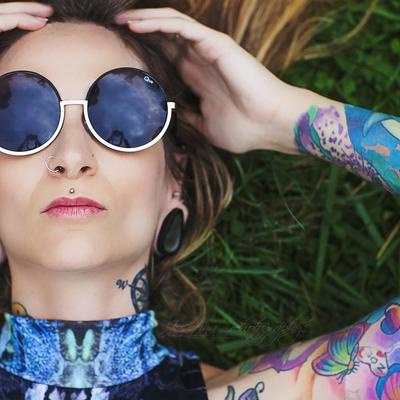 |
/unsafe/100x50:1800x1200/400x400/IMAGE   → crop region then resize to 400×400
/unsafe/0.1x0.1:0.9x0.9/IMAGE           → crop inner 80% using relative coordinates
Stretch
/unsafe/stretch/WxH/IMAGE
Resizes the image to exactly W×H without preserving the aspect ratio. The image is distorted to fill the box.
stretch/400x400/IMAGE |
|---|
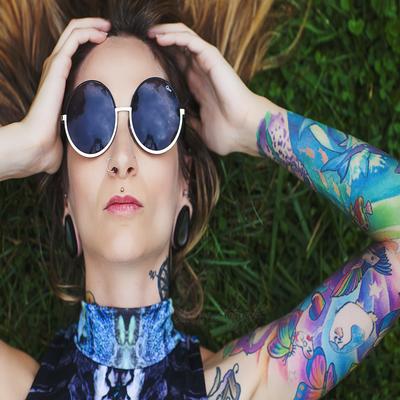 |
/unsafe/stretch/400x400/IMAGE
Padding
/unsafe/fit-in/WxH/GxH:IxJ/IMAGE
Adds padding around the image after resizing, where:
GxH— left and top padding in pixelsIxJ— right and bottom padding in pixels
Combined with fit-in and fill(), padding adds a colored border around the transparent or letterboxed content:
/unsafe/fit-in/360x360/20x20:20x20/filters:fill(yellow)/IMAGE → 20px yellow padding on all sides
fit-in/360x360/20x20:20x20/filters:fill(yellow)/IMAGE |
|---|
 |
Trim
/unsafe/trim/IMAGE
/unsafe/trim:bottom-right/IMAGE
/unsafe/trim:100/IMAGE
/unsafe/trim:bottom-right:100/IMAGE
Removes surrounding border/whitespace by detecting the background color from a corner pixel:
trim— uses the top-left corner pixel as the background color reference (default)trim:bottom-right— uses the bottom-right corner pixel instead:TOLERANCE— optional integer controlling how much color variation is still considered background
Trim is applied before any resize, so it does not affect the final output dimensions:
/unsafe/trim/400x400/IMAGE
Filters
/unsafe/filters:NAME(ARGS):NAME(ARGS):.../IMAGE
Filters are a pipeline of image operations applied after resizing. Multiple filters can be chained:
/unsafe/400x400/filters:grayscale():quality(80)/IMAGE
/unsafe/fit-in/400x400/filters:fill(blur):format(jpeg)/IMAGE
See Filters for the full list of available filters.
Image URI
The IMAGE path at the end supports several special forms:
-
Use a plain path or URL when the source is already safe to place at the end of the endpoint.
-
Encode the full source URL with
encodeURIComponentwhen it contains query parameters such as?foo=bar. -
Use
b64:when the source contains characters that are awkward to keep in the path form, or when you want the safest transport form for a full remote URL. -
Plain URL —
raw.githubusercontent.com/cshum/imagor/master/testdata/gopher.png -
URL with query string — encode with
encodeURIComponentif the URL contains?https%3A%2F%2Fexample.com%2Fimage.jpg%3Fv%3D123%26download%3D1 -
Base64 URL — use
b64:prefix with base64url encoding for URLs with special characters:Source URL:
https://example.com/image.jpg?size=large&download=1
Endpoint form:
/unsafe/400x400/b64:aHR0cHM6Ly9leGFtcGxlLmNvbS9pbWFnZS5qcGc_c2l6ZT1sYXJnZSZkb3dubG9hZD0x//unsafe/400x400/b64:aHR0cHM6Ly9leGFtcGxlLmNvbS9pbWFnZS5qcGc=/ -
Color image — use
color:<color>to generate a solid color or transparent image without loading from a source. Supports named colors,none, and hex values with optional alpha. See Color Image./unsafe/400x400/color:ff8800
/unsafe/400x400/color:none